Product design
/
Hardware-software
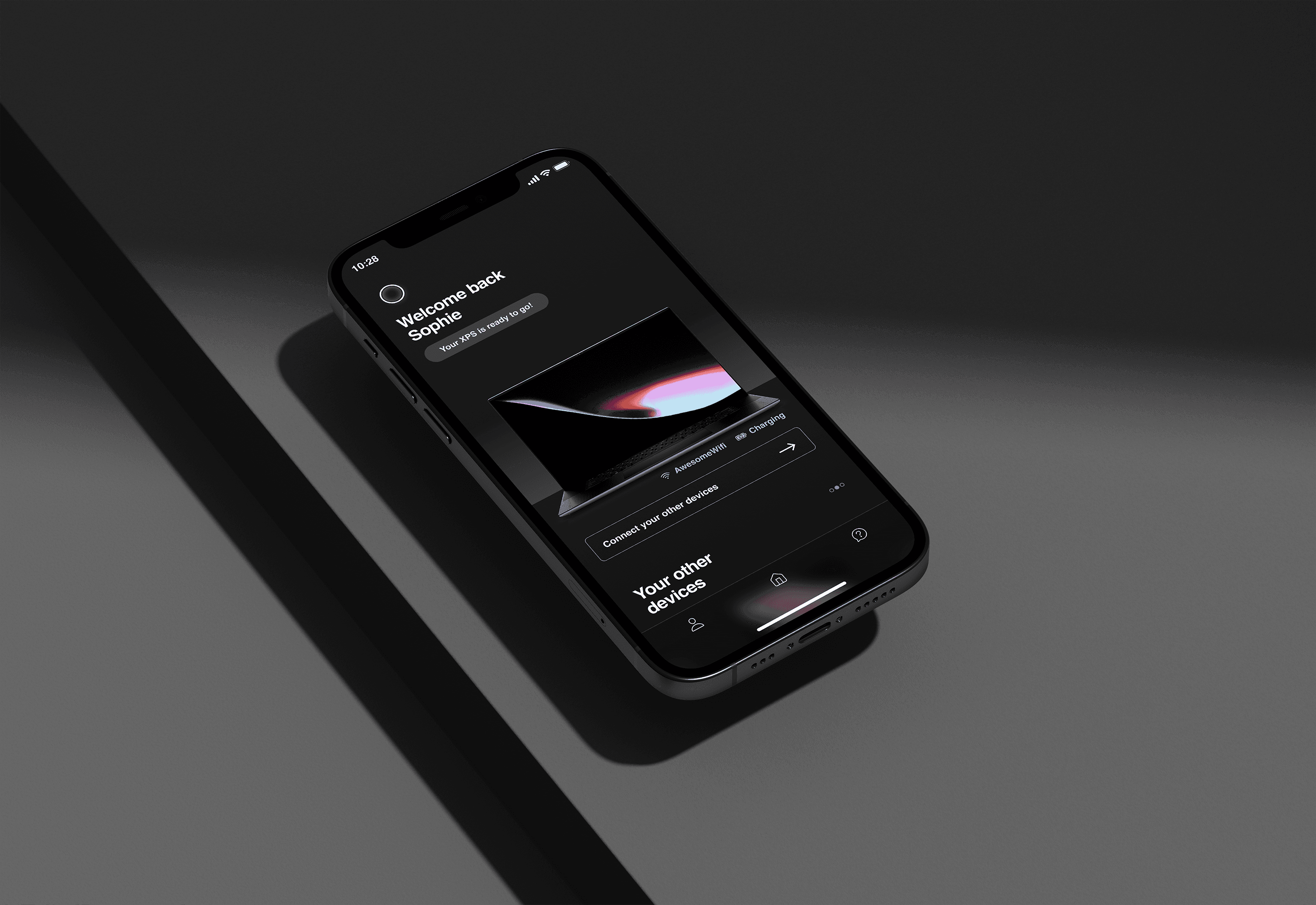
Designing a mobile companion to elevate Dell's product experience across the PC ecosystem
Overview
Dell Mobile Services was created to improve the PC ownership journey from setup to everyday use.
As one of the senior product designers on the team, I helped design a mobile companion app focused on smarter onboarding, easier personalization, and deeper product engagement. I was also in charge of putting together a styleguide of components and helping establish the overall visual direction.
Year
2022 - 2023
Company
Dell
Role
Senior Product Designer
Skills
Interaction Design
User Research
Design Systems
0 -> 1 Product Strategy
What was the outcome?
Prototype shared with leadership and integrated into roadmap for continued development. A version was later shipped onto app stores.
The challenge
Dell’s out-of-box experience was fragmented. It lacked emotional connection and didn’t provide enough value beyond setup.
We aimed to improve customer satisfaction by building a more unified experience that delivered value right from day one.
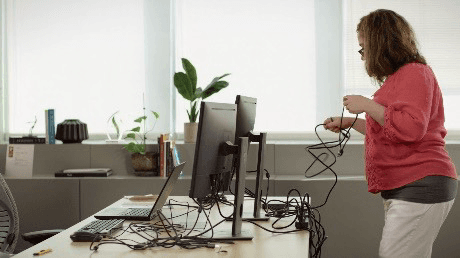
Spaghetti cables as one of the key pain points
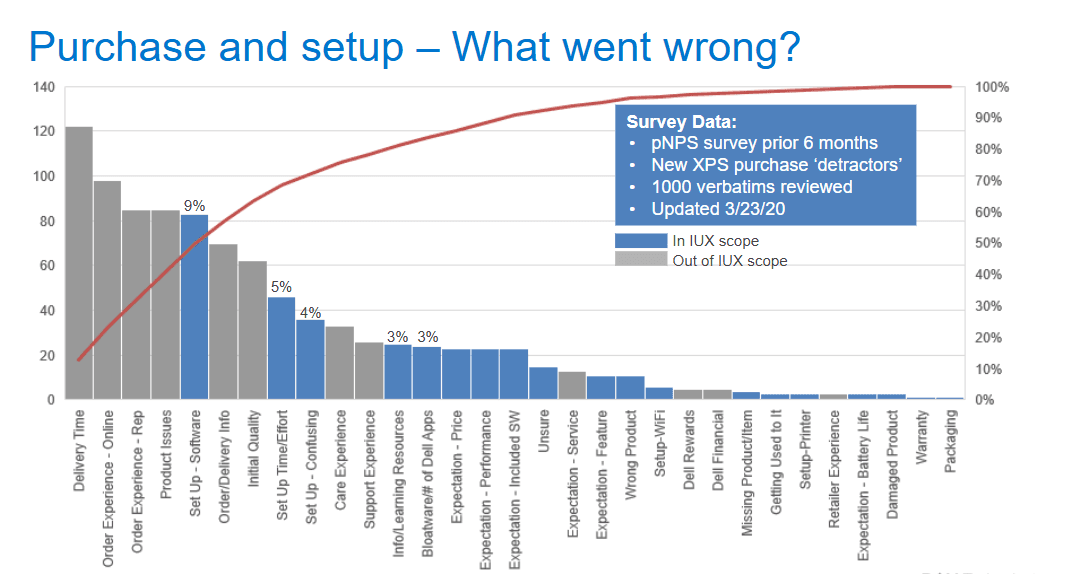
Survey data
Initial research
To understand pain points in the out-of-box experience (OOBE), our UX researcher targeted Dell customers who had purchased a device within the past year. This helped us capture fresh, detailed reflections on their setup experience.
10
Dell customers interviewed
45m
Time spent with each participant
200+
Insights colleced
4
Principles identified
Based on that problem statement, we mapped the full setup and ownership journey to identify where users dropped off or felt lost.
This helped us identify and prioritise features that supported:
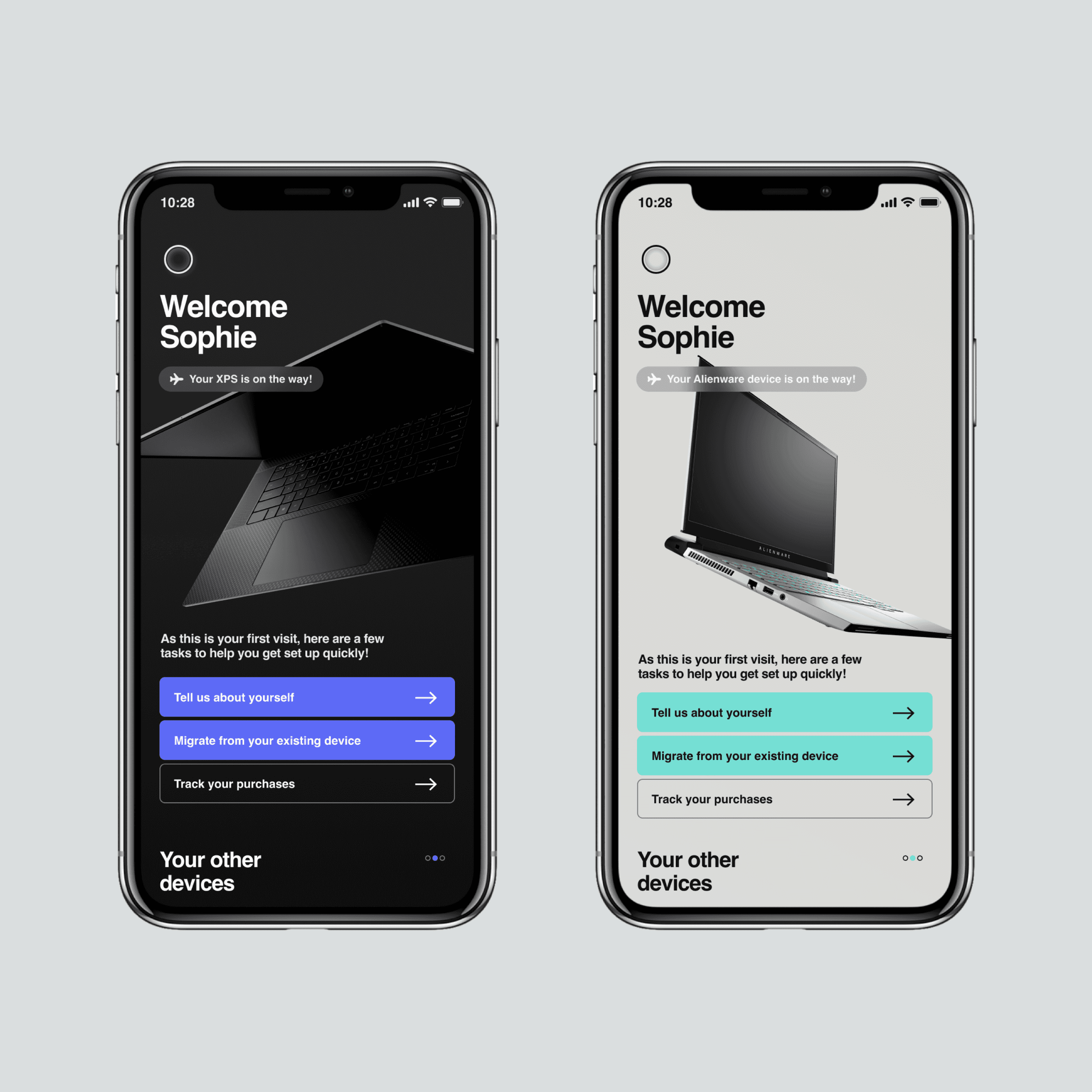
First-time personalization
Easy migration from old devices
Managing devices, warranties, and preferences in one place
The vision
We envisioned a connected experience that made every Dell product feel more intelligent, personal, and useful from day one. The mobile app would act as a guide and companion not just during setup, but throughout the entire device lifecycle.
This meant focusing on simplicity, delight, and deeper value in moments that are often overlooked, like first-time personalization, migration, and discovery.
We had key goals that we identified early on:
Deliver value from day one
Encourage deeper device engagement
Make Dell products feel cohesive, premium, and intelligent
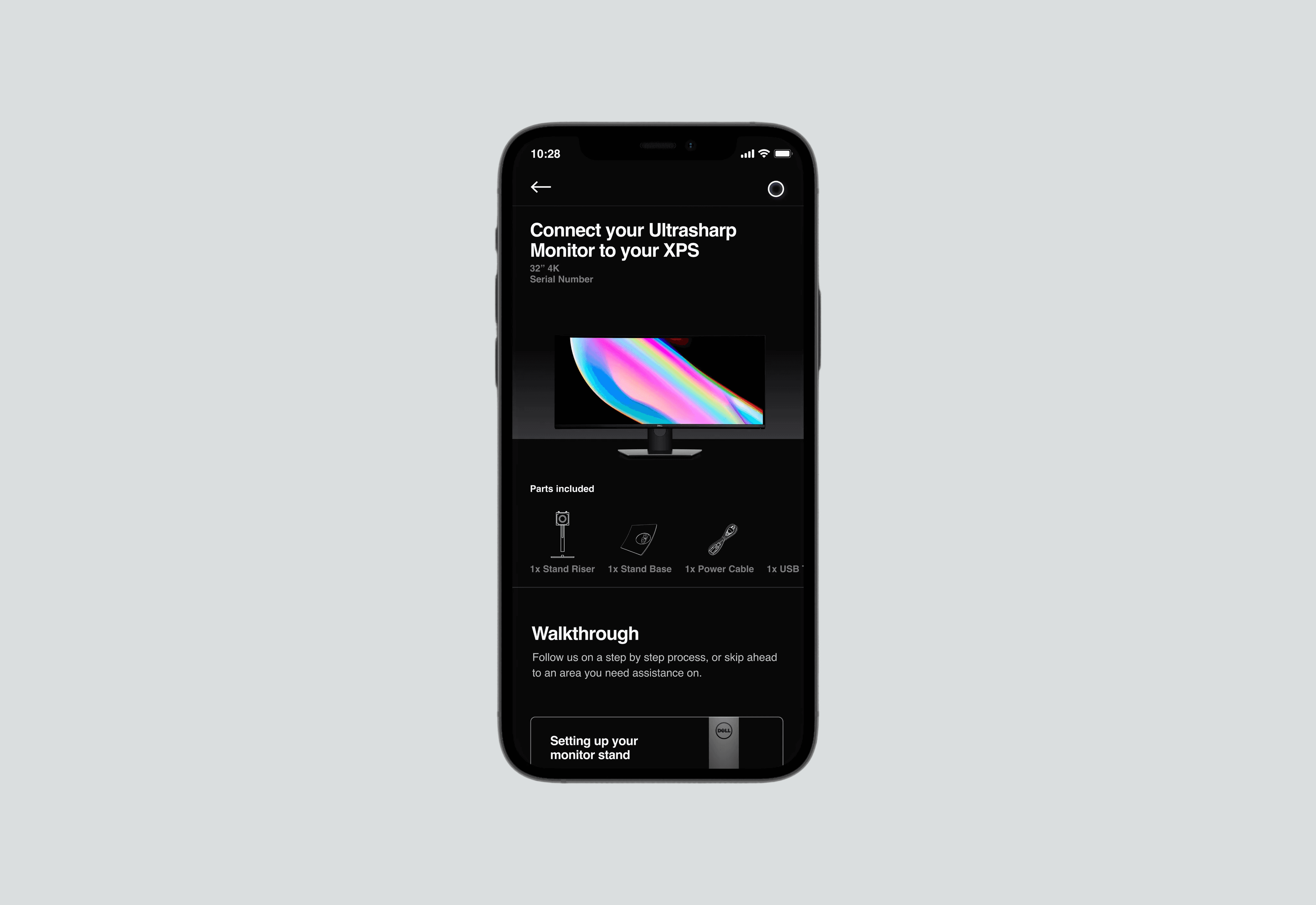
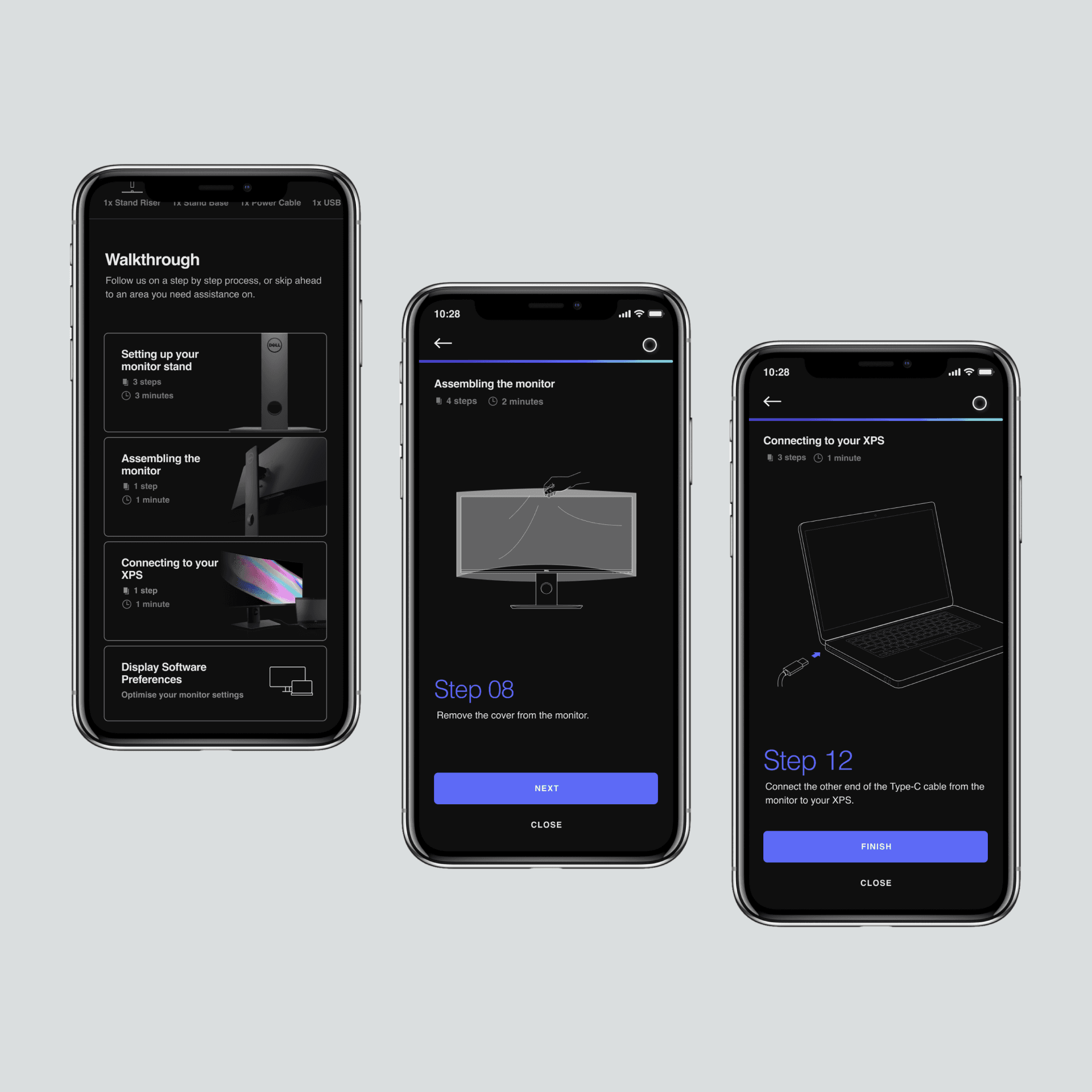
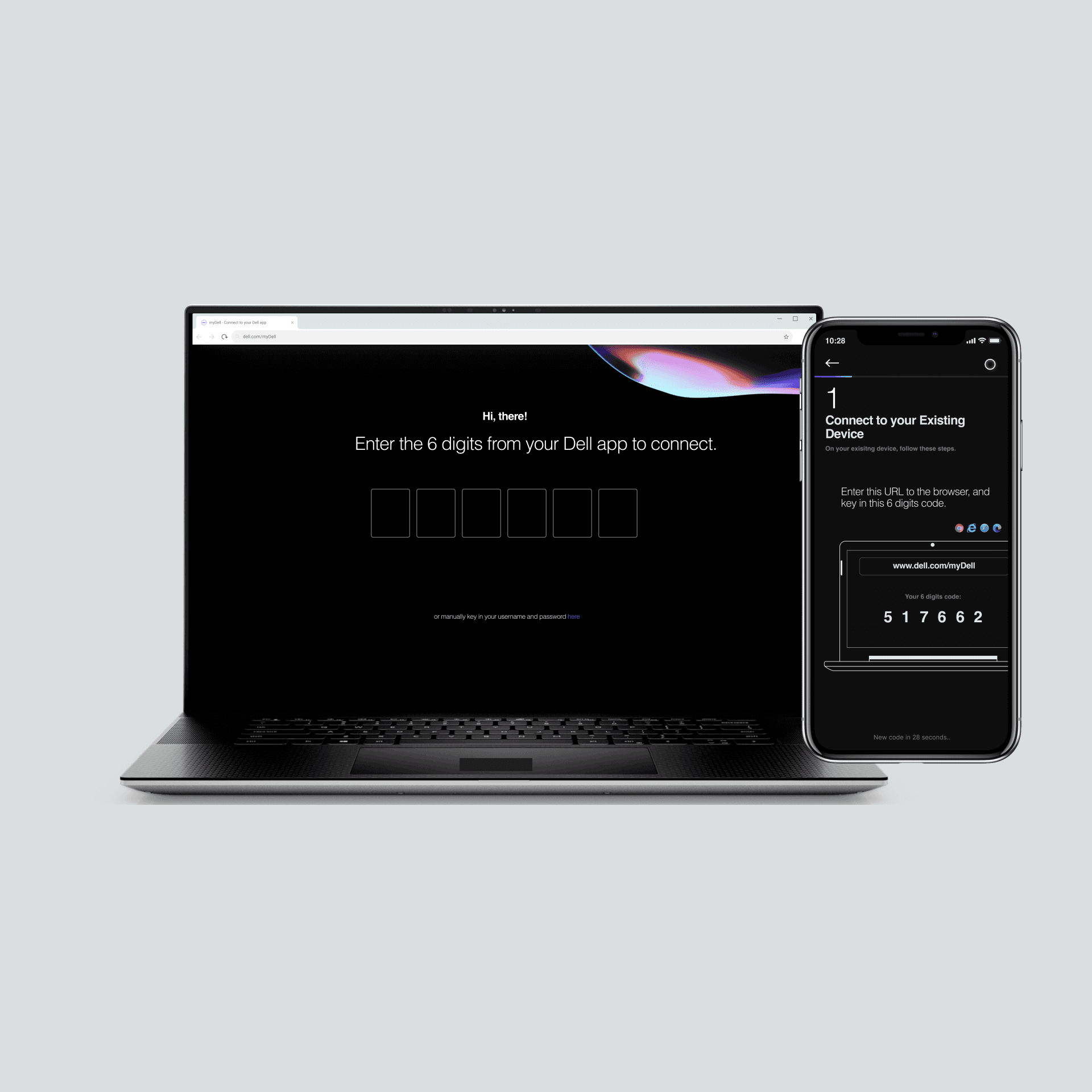
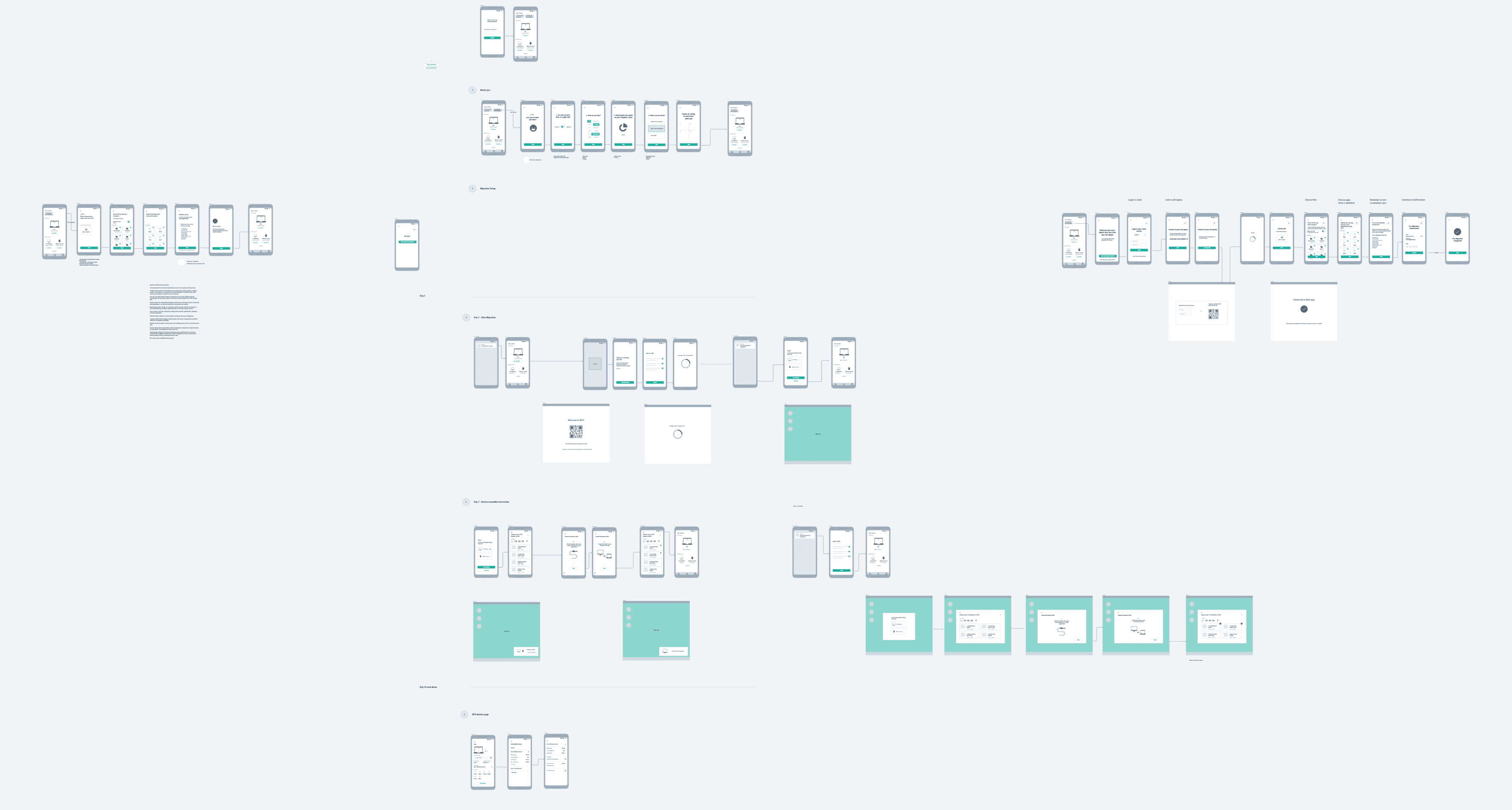
User flows and wireframing across two devices
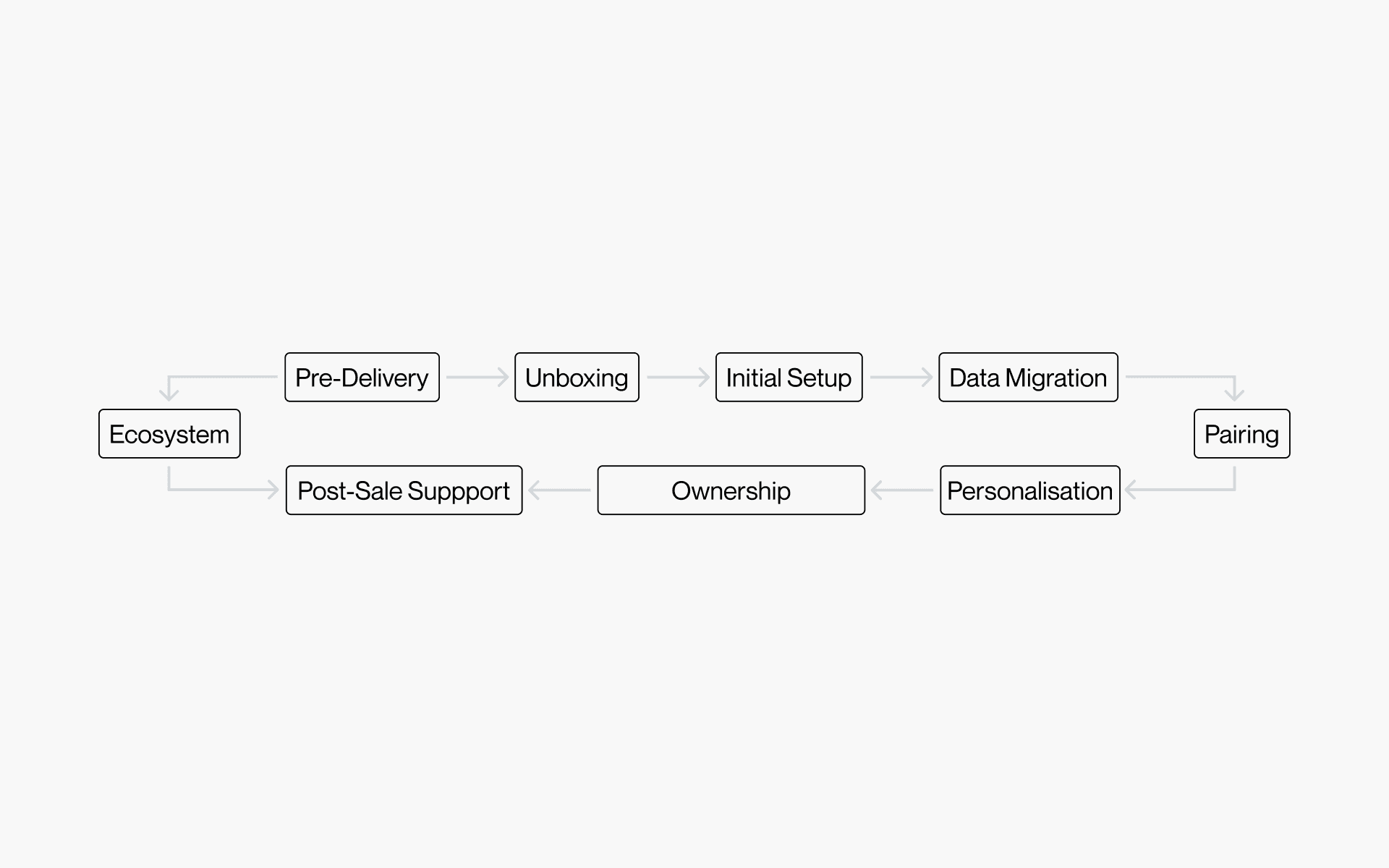
Key moments of the journey
Research & synthesis
From user research and internal stakeholder inputs, we identified the highest-impact moments in the first-run and early ownership journey.
Key themes that shaped the design:
People want certainty more than features during setup
They need a sense of progress, and an easy way to recover when something fails
Users want a simple answer to: “What can I do here that saves me time?”
From here we knew the user experience had to answer to these goals:
Reduce setup anxiety with clear progress and recovery paths
Make device pairing feel secure and simple
Create a hub that stays useful after setup (support, status, personalization)
Core experience
We used a Day 0 - Day 30 model to aid the entire discussion process, enabling us to quickly firm up key moments.
Tracking purchase status & migration from Day 0
For many customers, the experience starts before they touch the PC. Once they buy, the immediate job is reassurance: Is my order confirmed? When will it arrive? What should I do to prepare?
Key design decision here:
Recognition over recall
Instead of asking users to search, we surface likely actions based on device state and stage in the journey.
Data migration from existing device (make switching feel safe and easy)
The biggest hidden cost of a new device is not setup. It’s migration anxiety: Will I lose photos? Files? Settings? Will this take hours? So we made sure to design a migration flow that:
Clearly communicates what transfers and what doesn’t
A lightweight “choose what matters” step.
Progress visibility and safety cues like 'nothing is deleted from your old device'
Key design decision here:
Anxiety reduction through progress visibility
People are most frustrated when they don't know what's happening. We added progress, status, and recovery paths to reduce moments of uncertainty.
Guide setup with momentum
After unboxing their newly arrived device, and migrating their data, the experience shifts from “connect” to “complete.” The main job is to keep users moving without overwhelming them.
Post-setup hub that stays useful
The goal here is to stay useful after the "new device high" fade. So we ideated and came up with features that would help highlight that like: device basics + warranty, quick actions (support, diagnostics, updates) and a end-of -life product recycle programme.
Post-setup hub that stays useful
The goal here is to stay useful after the "new device high" fade. So we ideated and came up with features that would help highlight that like: device basics + warranty, quick actions (support, diagnostics, updates) and a end-of -life product recycle programme.
Visual design & interaction
I helped establish a visual design language and a style guide for faster iteration, working closely with designers and engineers to align on technical feasibility, especially around mobile-to-PC pairing.
As part of the future-scoping exercise, we also explored an AI assistant that would support onboarding and device guidance. I created motion studies that we incorporated into the protopie demo for presentation to stakeholders.
Integration of the Dell logo with the virtual assistant
Voice and visual states (greeting, listening, responding)
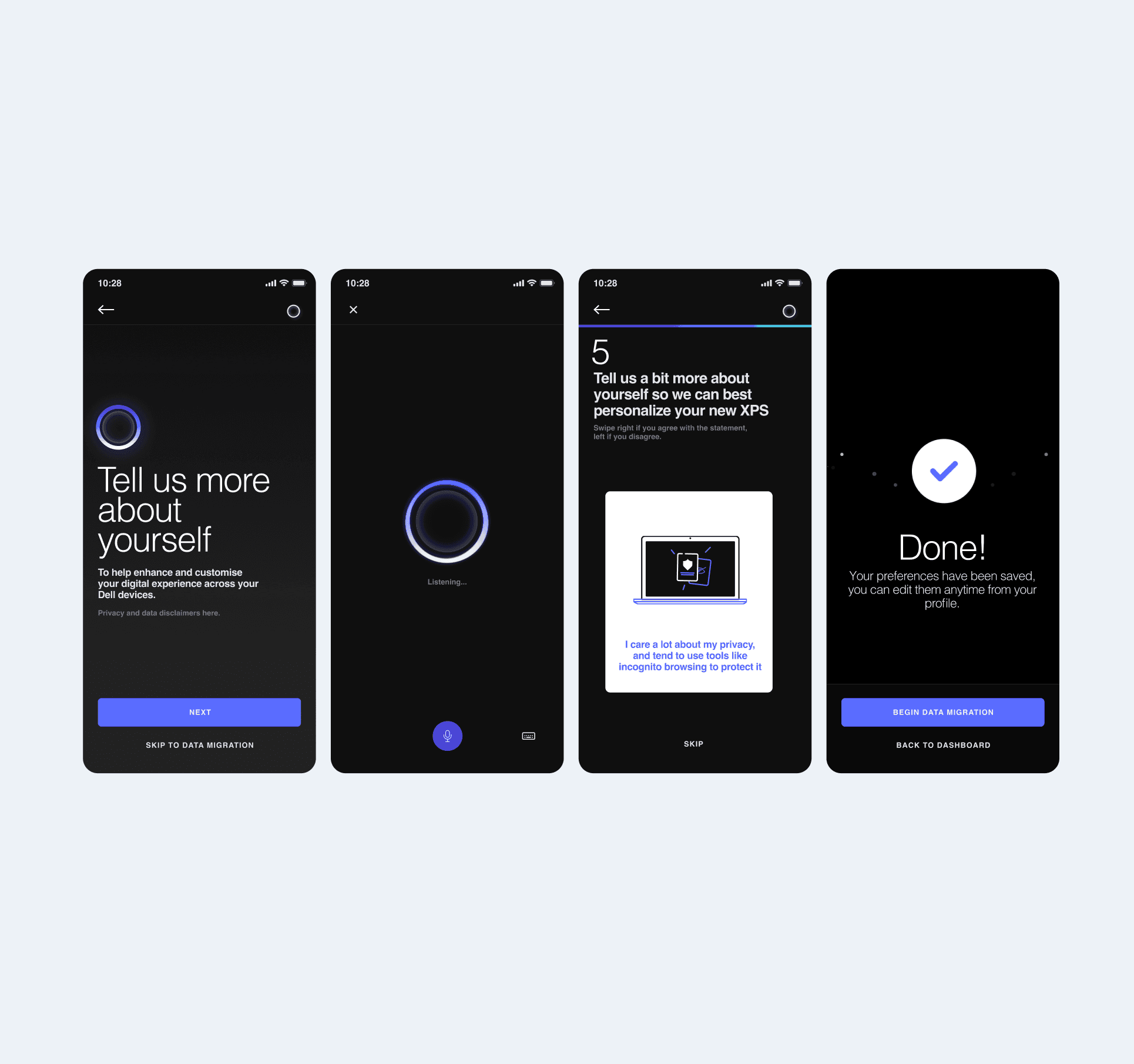
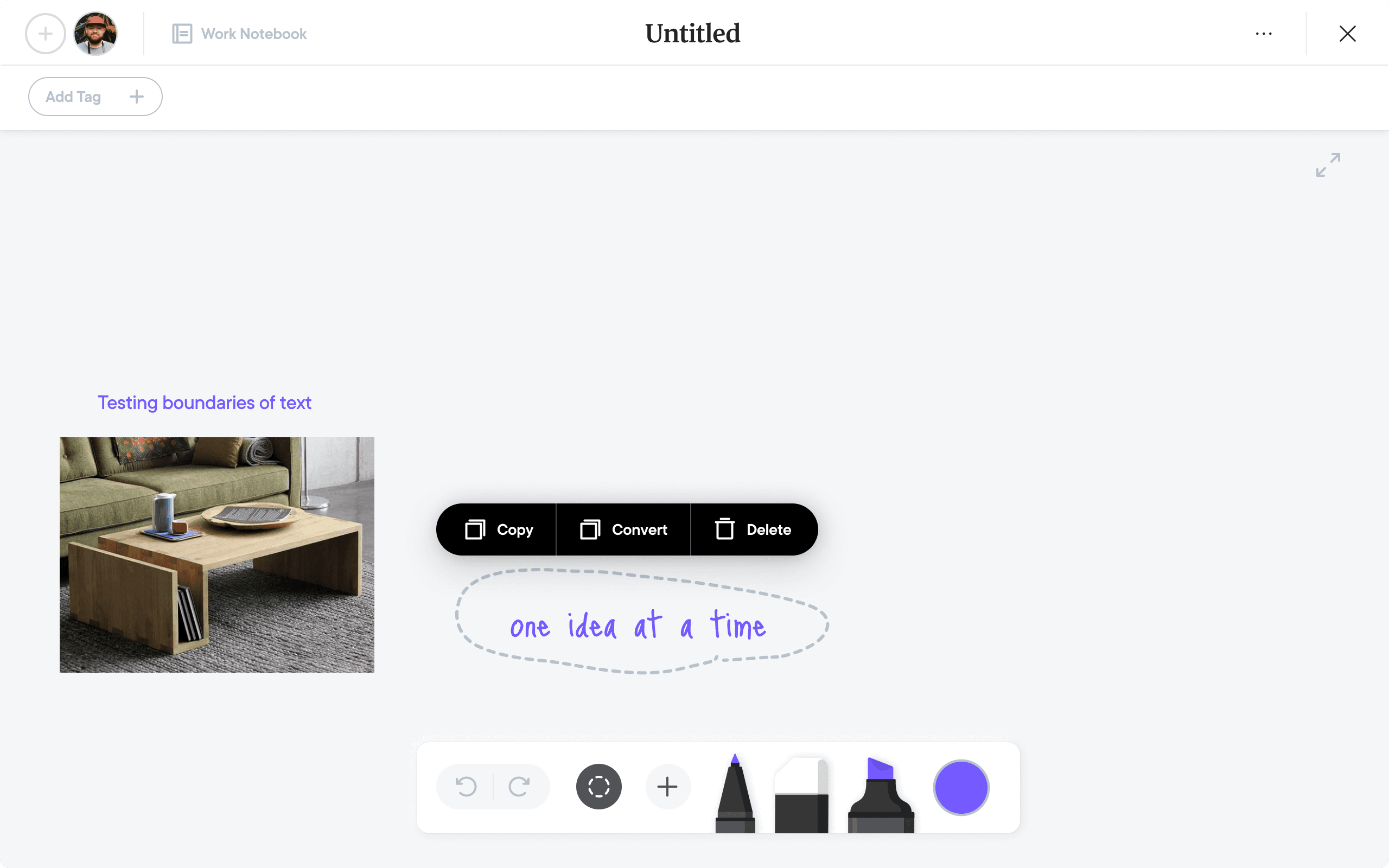
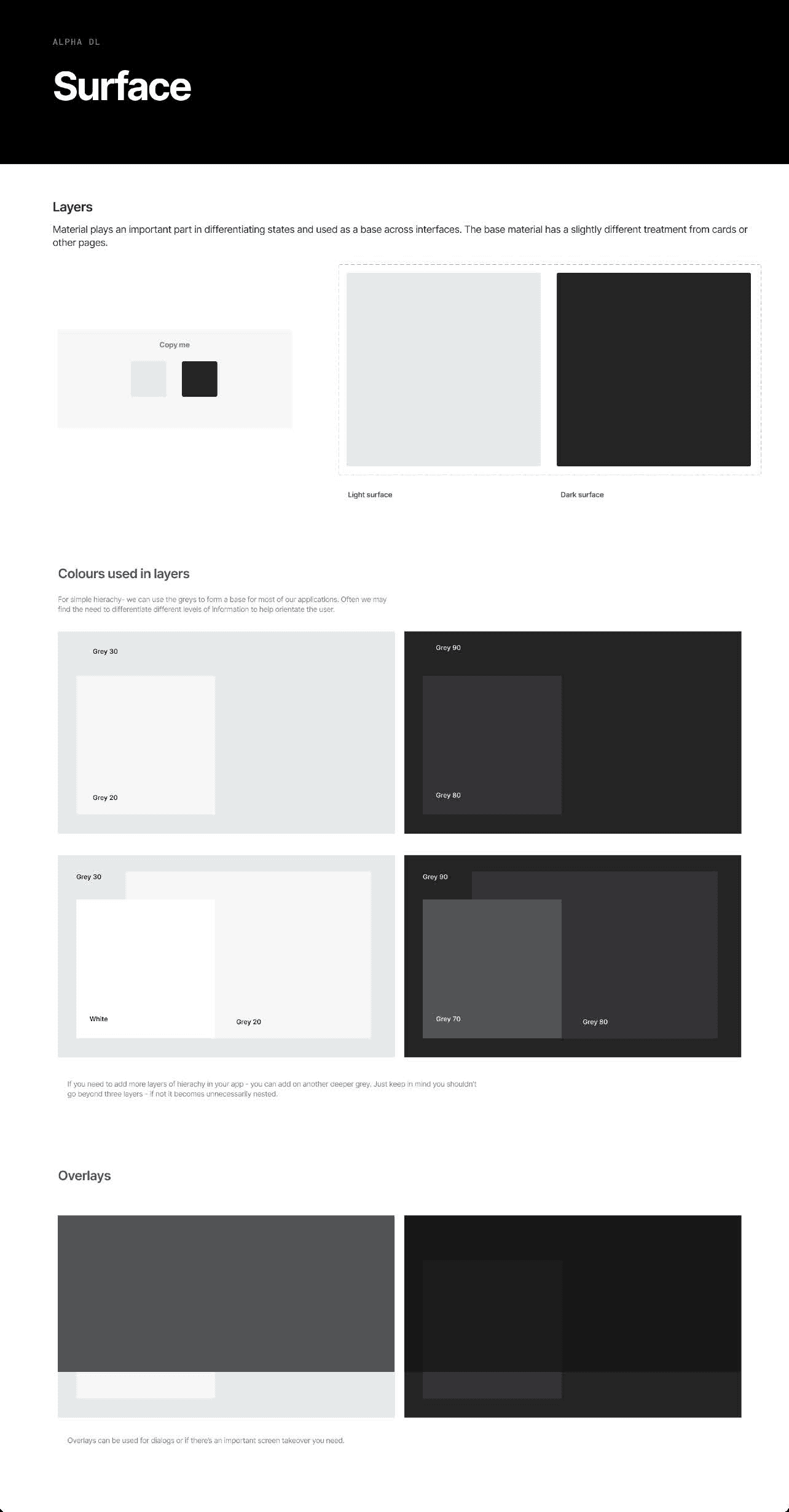
Studies from this project helped developed the next part of the design language for future projects.
Outcome & reflections
Prototypes shared with Dell leadership
Further studies done post presentation to prove use case and usability.
Accepted into the roadmap for future development
Helped reframe the role of setup as an opportunity for lasting brand connection
Studies from this project helped developed the next part of the design language for future projects.
What I learned designing this:
The most important part of onboarding is not education. It is reducing uncertainty.
Cross-device experiences need a strong interaction model.
A companion app must earn the second session. The post-setup is the real discussion to be had.