product design
/
hardware-software
Designing an intelligent system for the next era of hybrid work
Creating a digital-analog productivity tool that bridges the tactility of analog with the power of digital
overview
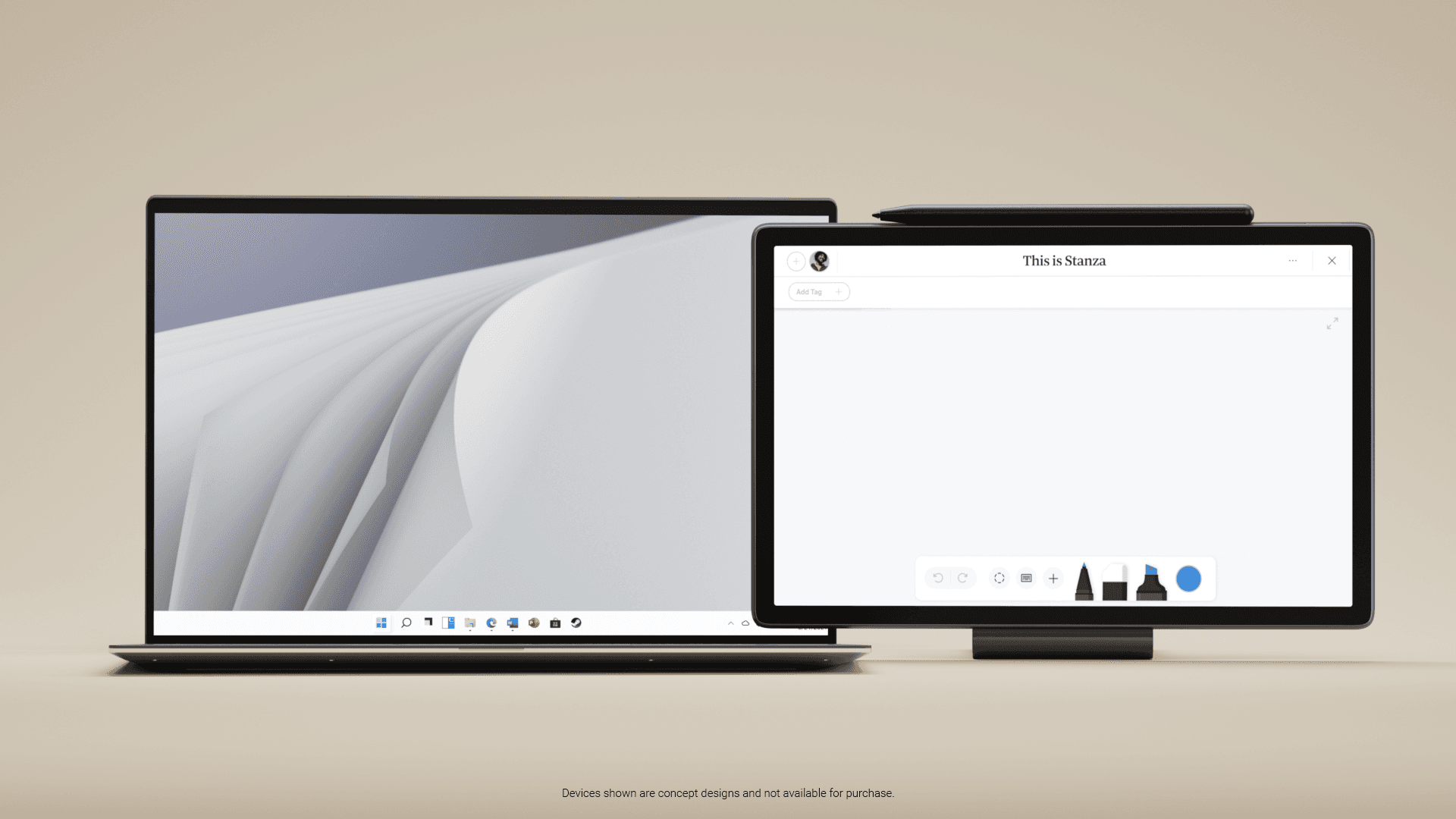
As part of a broader Future of Work initiative at Dell, I led the design for a focused, pen-enabled system running its own lightweight OS, with the note-taking experience delivered as an app within it.
While many professionals still rely on pen and paper to focus, that input rarely connects smoothly to digital workflows. This project aimed to bridge that gap through thoughtful hardware design and a new kind of platform experience.
The goal: create a flexible foundation for focused productivity apps, beginning with note-taking
year
2022 - 2023
company
Dell
role
Lead Product Designer
skills
Interaction Design
User Research
Design Systems
0 -> 1 Product Strategy
What was our impact?
We developed the product from inception to launch at CES 2023 as part of Dell's “Future of Work” showcase. This led to a patent filing and was handed off for continued internal development.
patent
The challenge & discovery
Hybrid work changed how people plan, think, and coordinate. But the tools most professionals rely on are still split. Paper is great for focus and speed, while digital tools are where everything gets shared, searched, and acted on.
People were juggling notebooks, tablets, and laptops, and the handoff between them kept breaking. Even when teams had strong productivity software, pen and paper still won for clarity, speed, and focus. The challenge was not “make a better notes app.” The challenge was: how do we keep the natural flow of handwriting while making it usable inside real digital ecosystems?
the vision
This project wasn’t about replacing laptops or tablets. It was about creating a new kind of companion device that could:
The note-taking app became the hero use case, designed to take full advantage of pen-enabled hardware and a lightweight, purpose built OS.
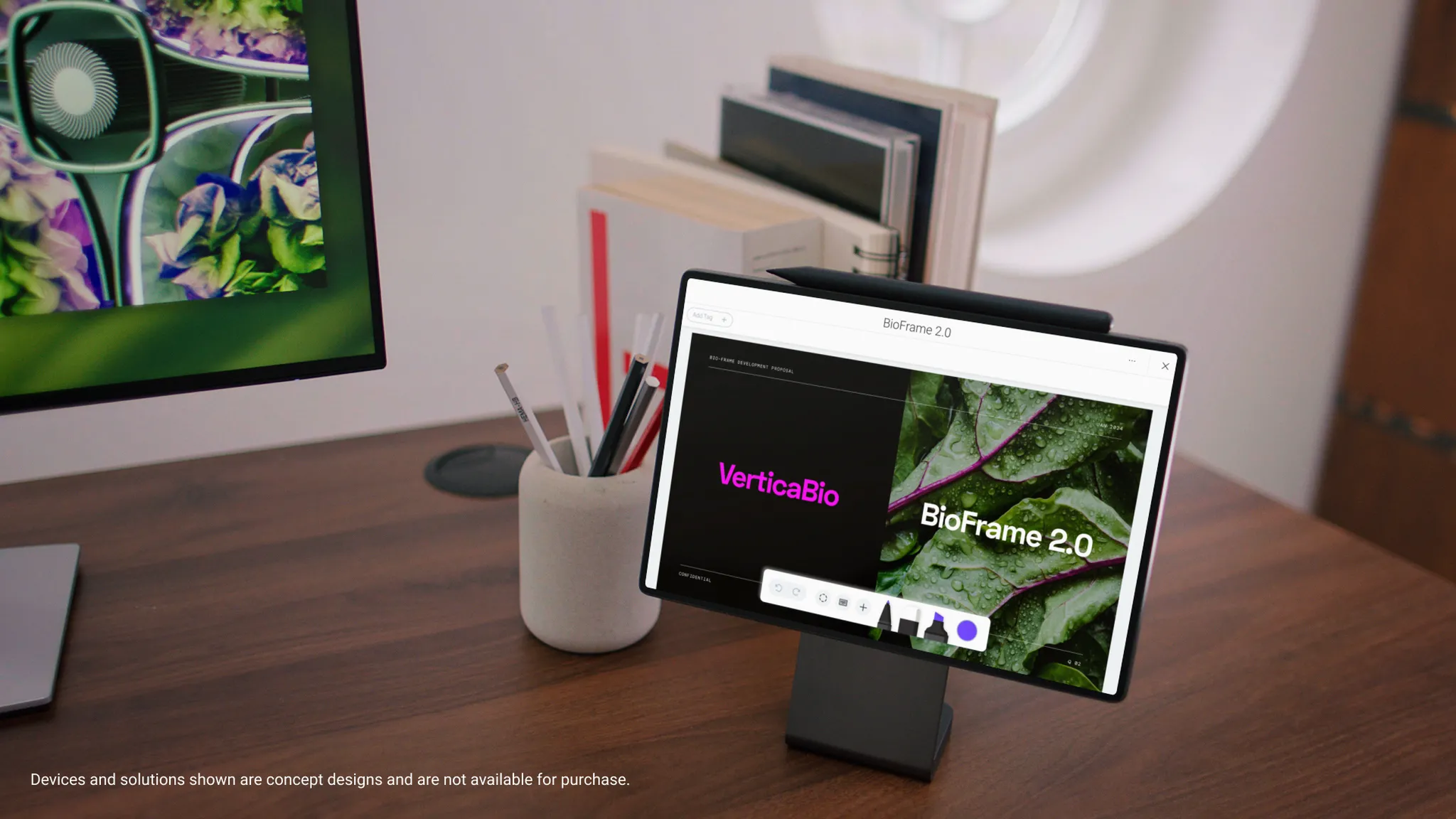
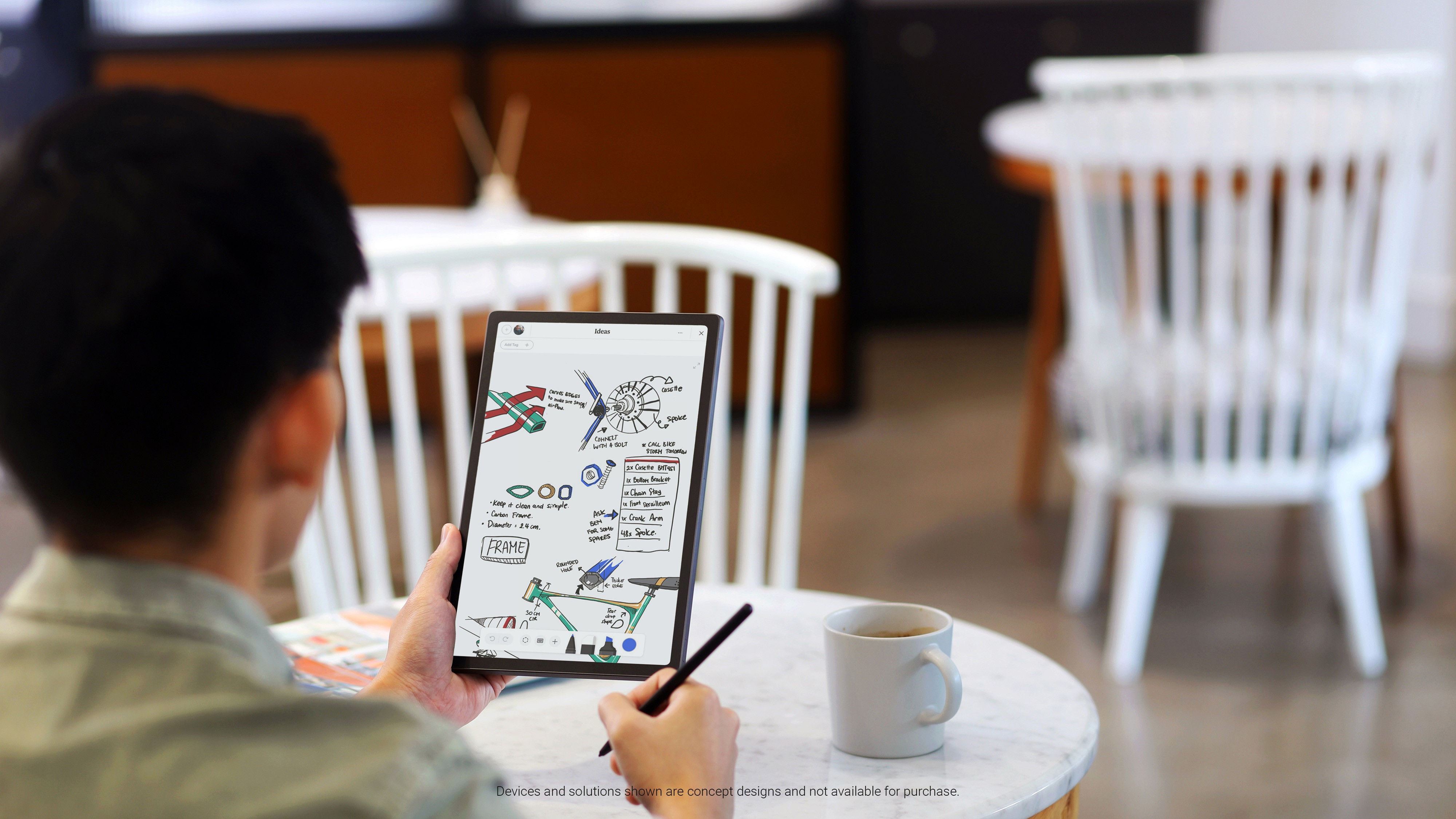
"It’s the rare concept device that I think seems pretty ready to go"
The Verge
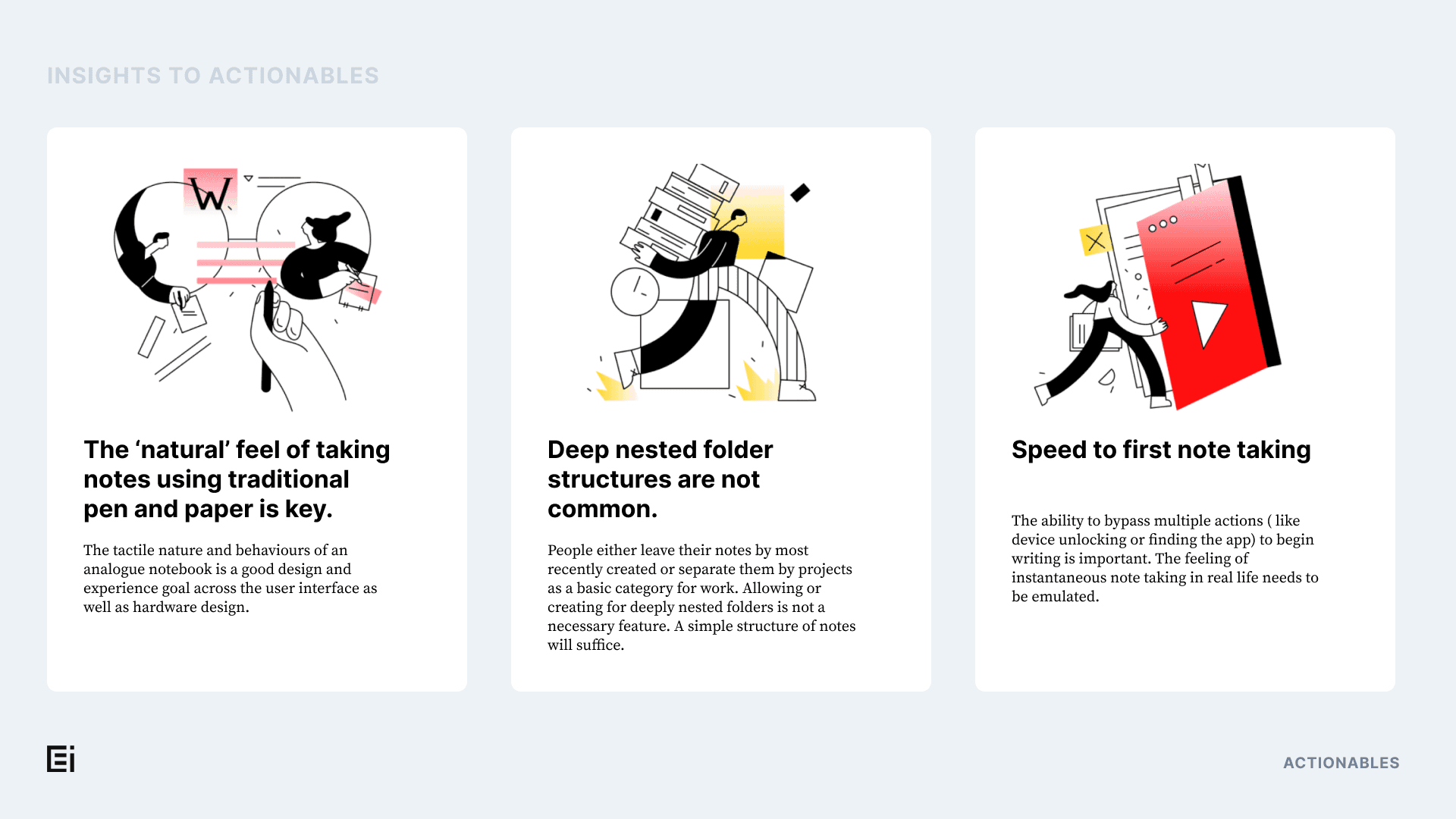
These insights were distilled into a set of experience principles that drove design decisions across hardware and software.
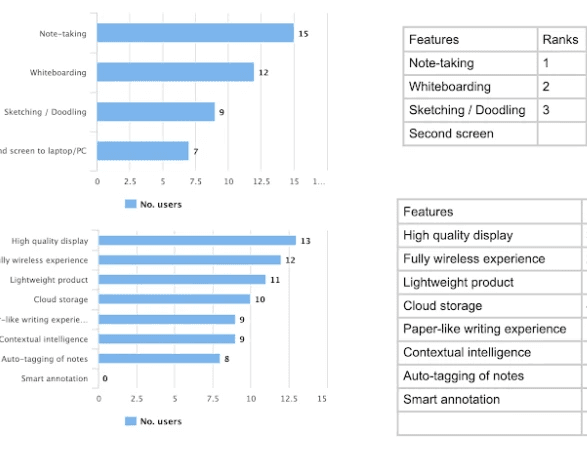
We also conducted usability studies to further improve the experience
Research & insights
Our research combined surveys, contextual inquiries, and in-field diary studies with prototypes.
Key findings:
✍️ Users valued quick, frictionless input over rich formatting
📁 People preferred lightweight organization over deep folder hierarchies
🔄 Interoperability was key: fast, seamless export to tools like email, Teams, or cloud apps
🧠 Pen input was most valued for thinking, not documentation
These insights shaped both the app’s interaction model and the OS-level design constraints: minimal distraction, fast launch, and natural input.
From here we started distilling features and flows that would be planned onto a longer term roadmap.
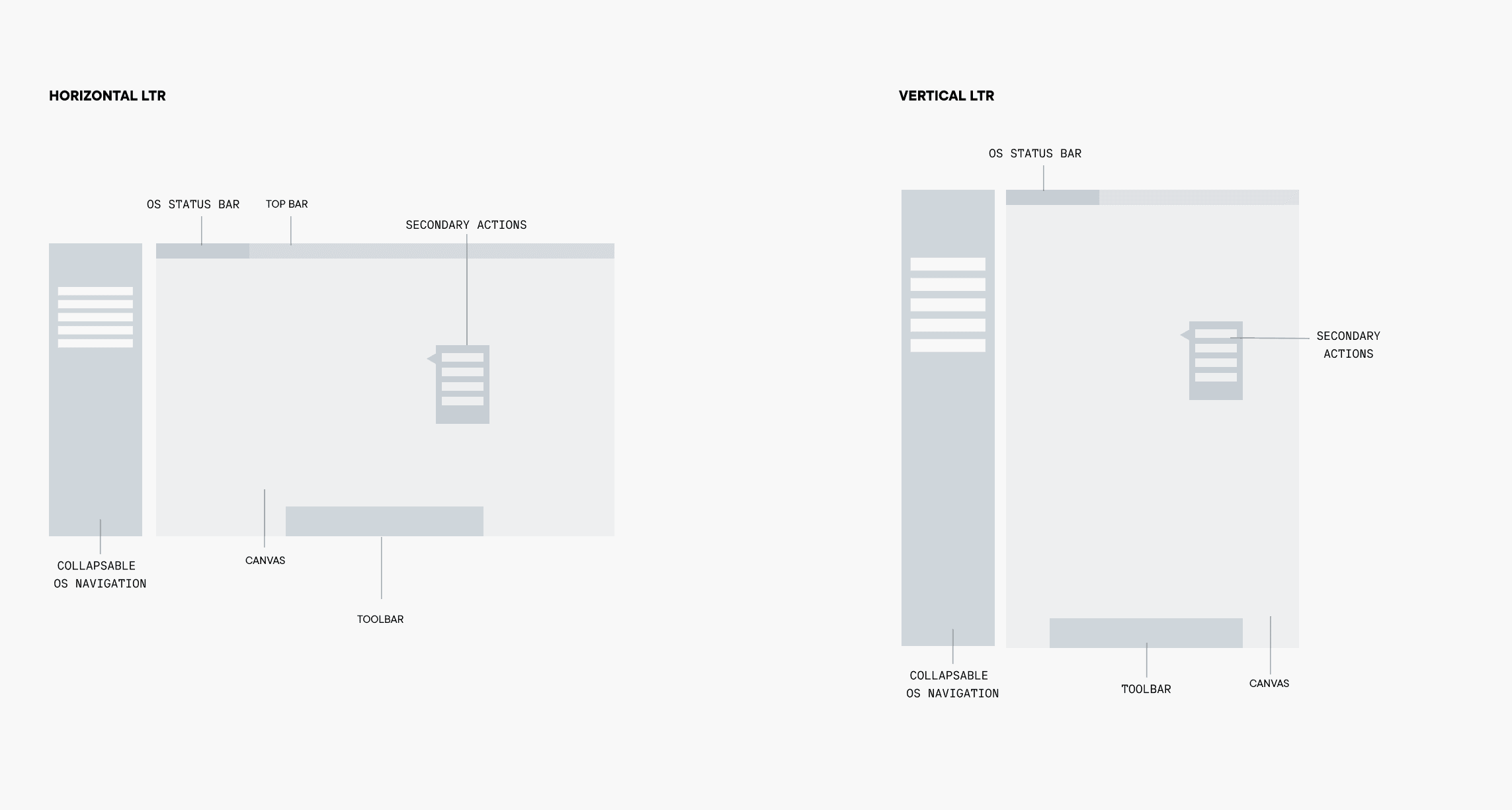
LTR studies for both portrait and landscape mode
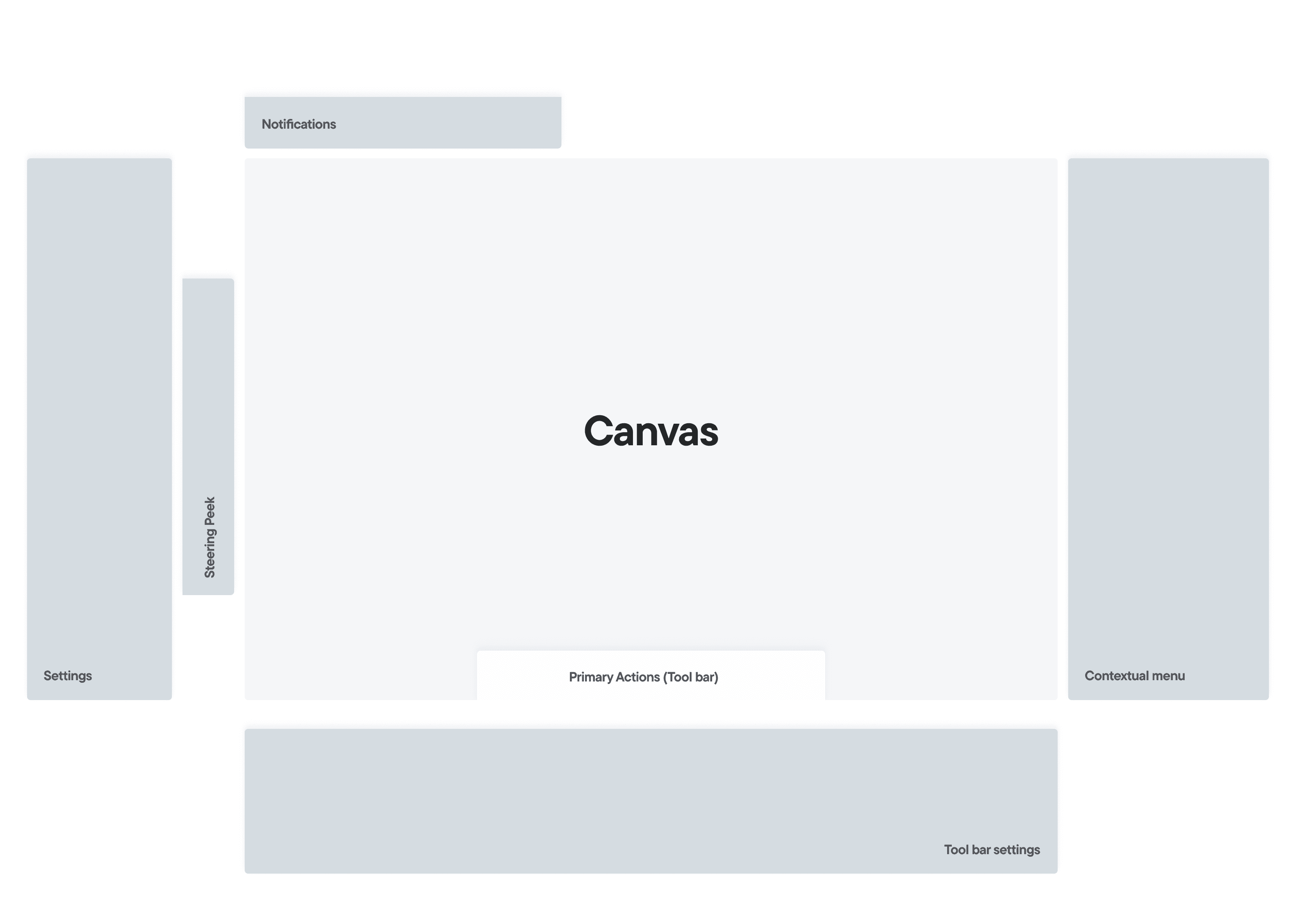
Interaction model study for the canvas
interactive prototypes for quick testing
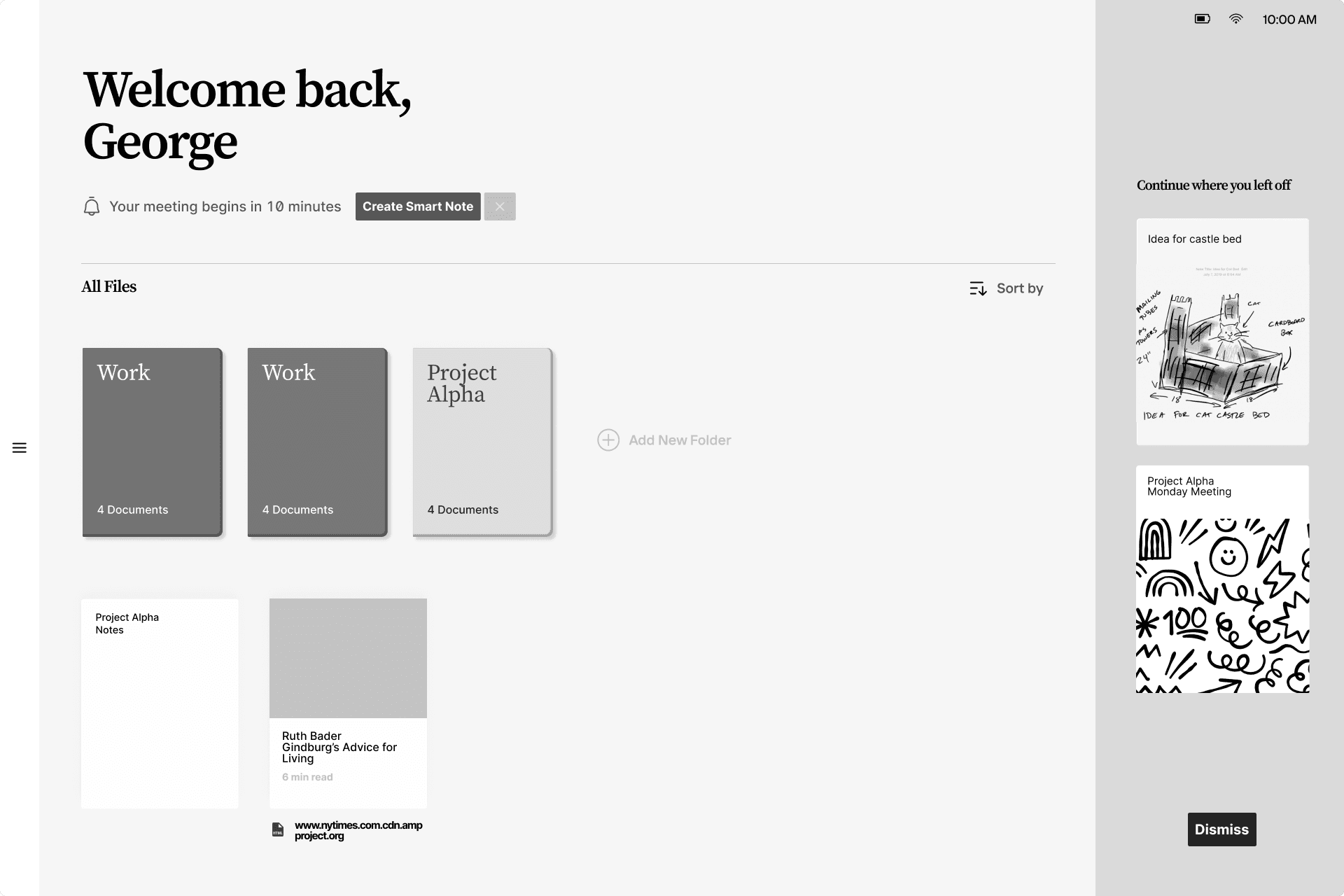
Mid-fidelity screens for usability testing
How we designed it
01. We defined the interaction model across OS and app
A core part of my work was designing and validating how users would navigate and interact, end to end, across the device OS and the note-taking app.
This included:
Designing OS-level interactions for app switching, home gestures, and multi-modal input
Creating pen-first interaction patterns like quick gestures for erase, select, zoom, and convert
Establishing consistent UI behavior across handwriting, sketching, tagging, and organizing notes
02. We prototyped heavily to align the team
To make the experience real, we produced and tested a large volume of prototypes, from low-fidelity flows to high-fidelity pen-sensitive experiences.
These prototypes were how we aligned engineering, industrial design, and AI/ML around interaction behavior that felt fast, intuitive, and native to a pen-based system.
the solution
We designed a focused note-taking experience that respected handwriting as a thinking tool, while making it practical inside modern workflows.
Examples of system capabilities explored:
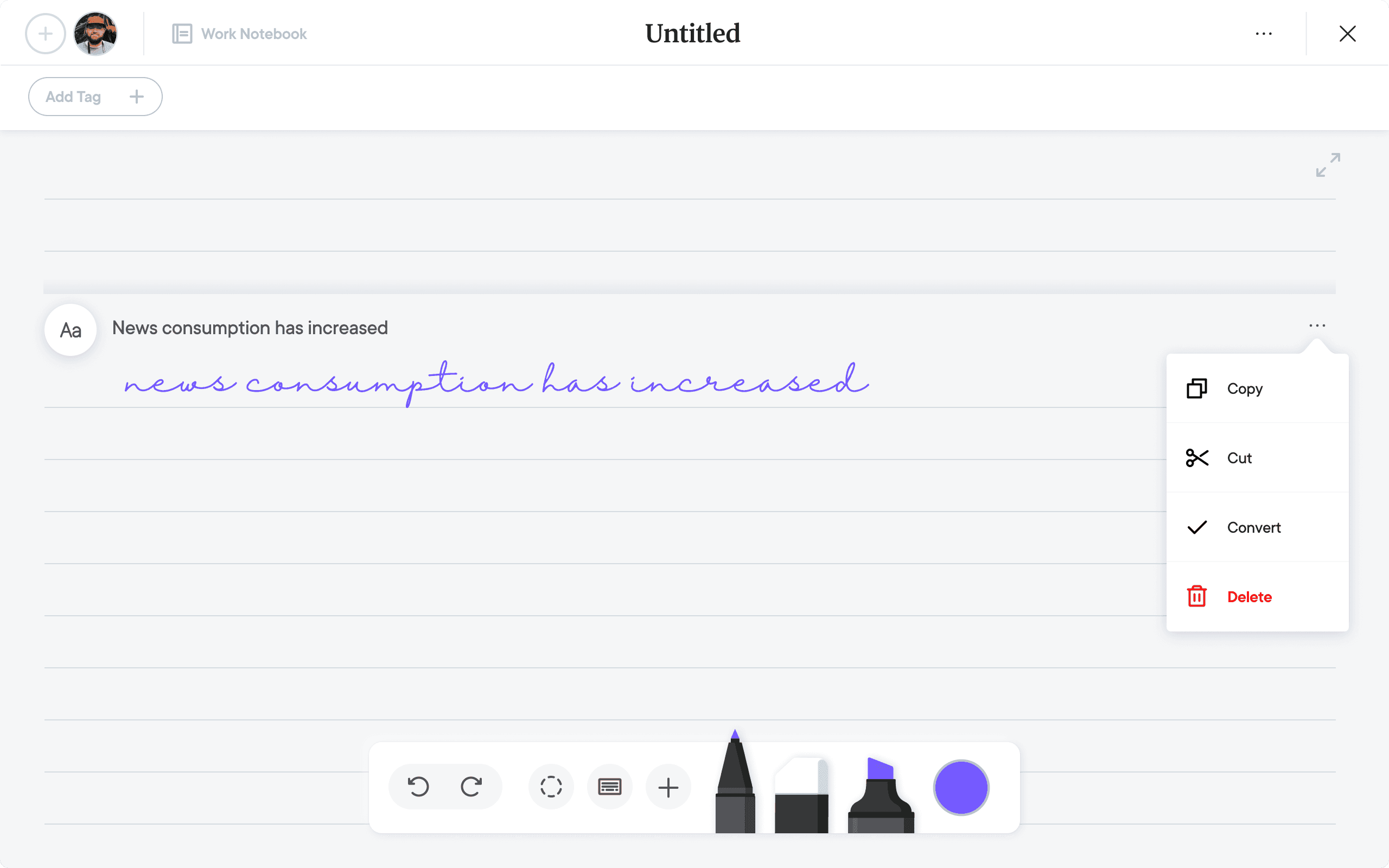
Handwriting-to-text conversion that preserves layout and allowed inline editing
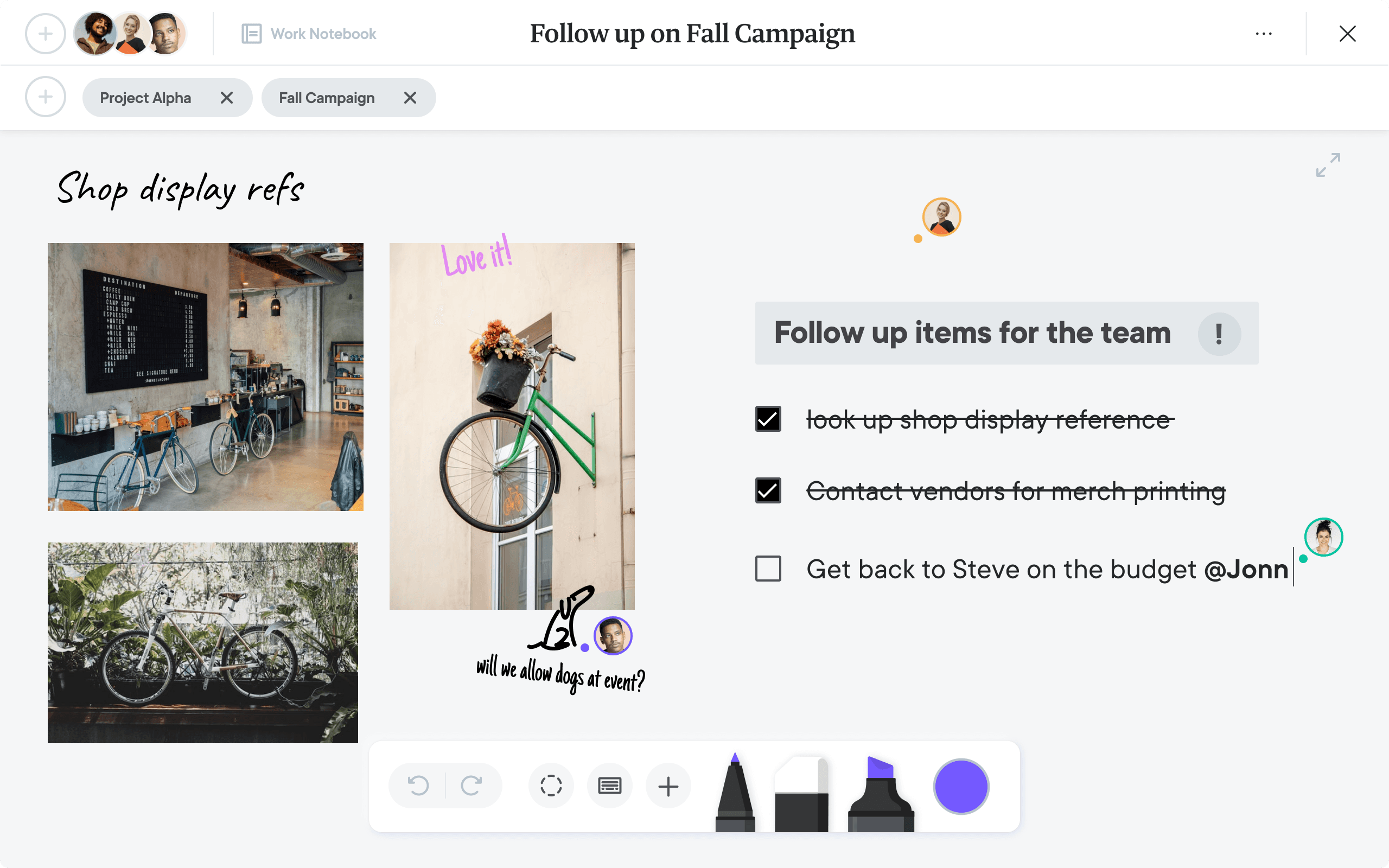
Smart symbols (e.g. checkbox, tag, arrow) that triggered actions like to-dos, links, or structure
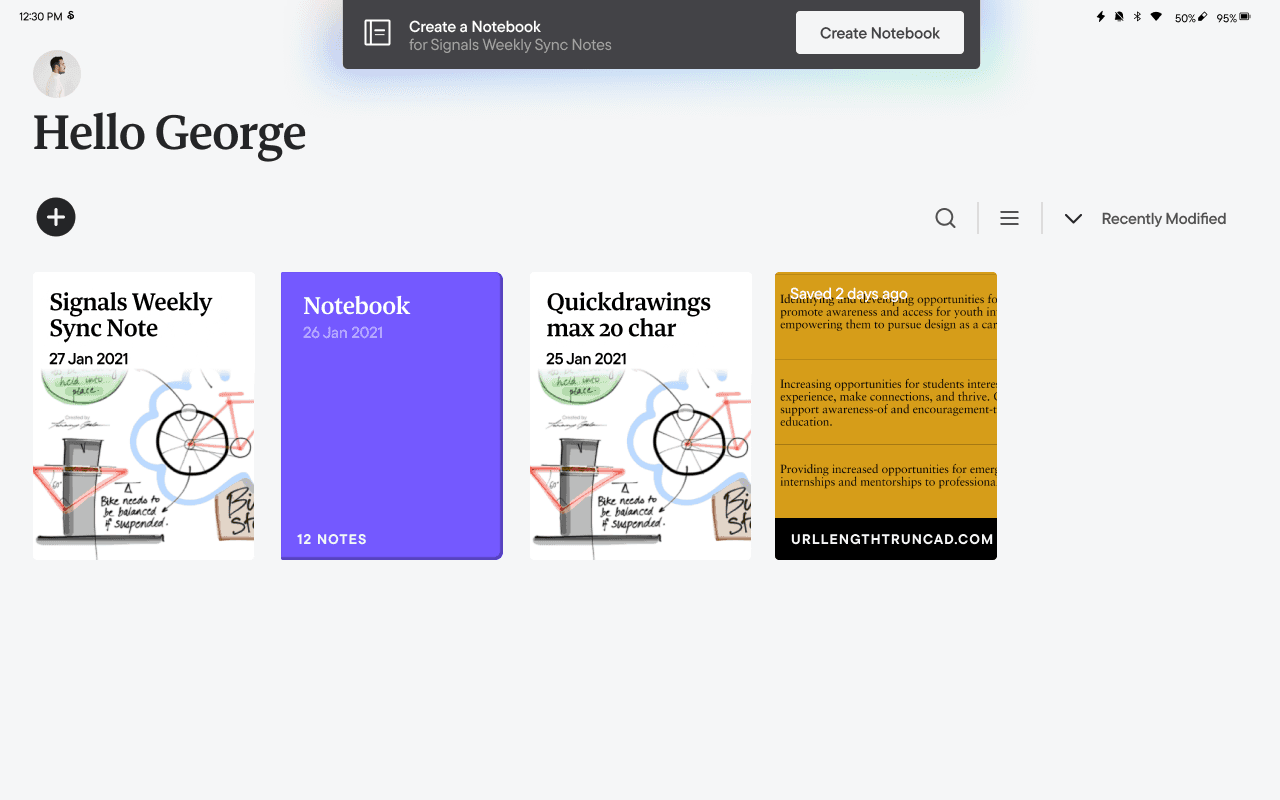
Context-aware capture, where the system inferred intent (e.g. suggesting the creation of assets based on recurring calendar meetings
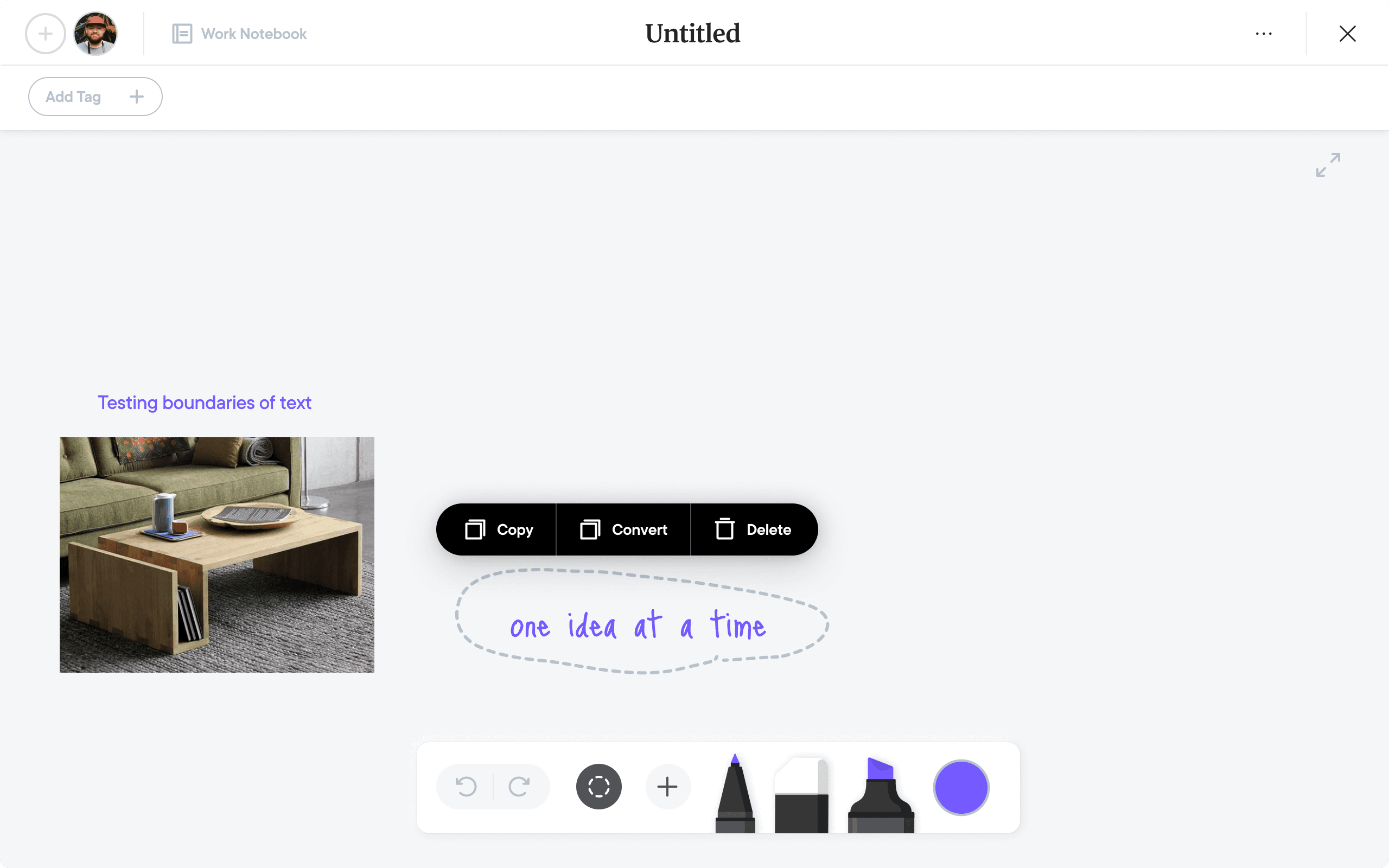
Real-time suggestions for converting handwritten blocks into structured notes or action items
AI, used carefully
After discovery and iteration, we integrated lightweight AI features directly into the app. The design goal was simple: augment, not interrupt the natural content creation process, and support fluid transitions between thinking and doing.

Documentation of hardware and software interactions
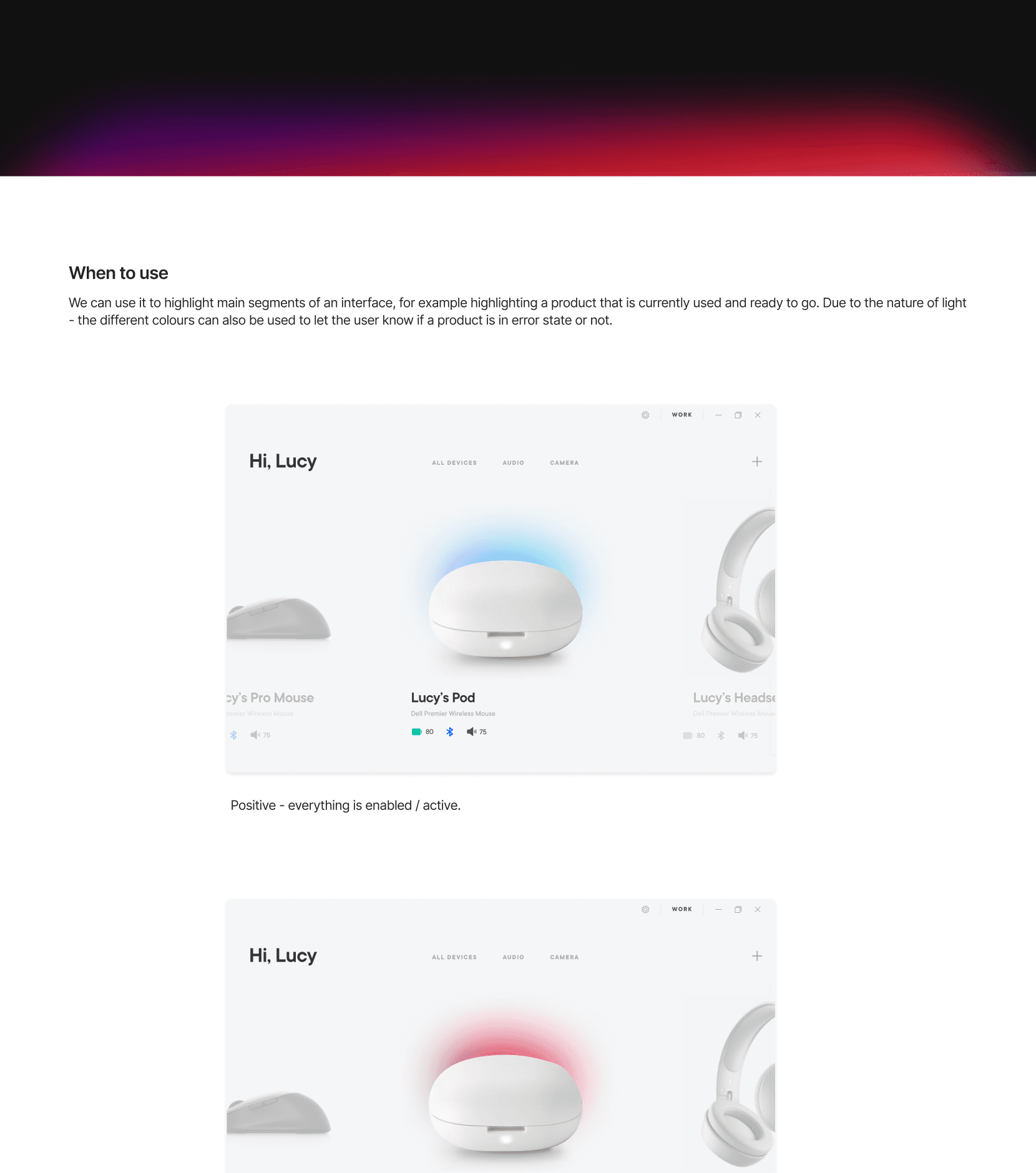
Light as a visual metaphor for the design system. This system would go on to be adapted across other projects.
visual design & interactions
As design lead, I focused on both the note-taking app and the system-level experience. This included interaction and UI design, navigation flows, pen gesture behaviors, and visual cohesion across the device.
I worked closely with industrial designers, OS engineers, and AI/ML teams to ensure the experience felt consistent across hardware and software.
I also led the creation of a shared design library, documenting components and patterns from pen gestures to file-sharing behaviors. This was a foundational part of aligning the broader team around how the system should feel and function.
outcome
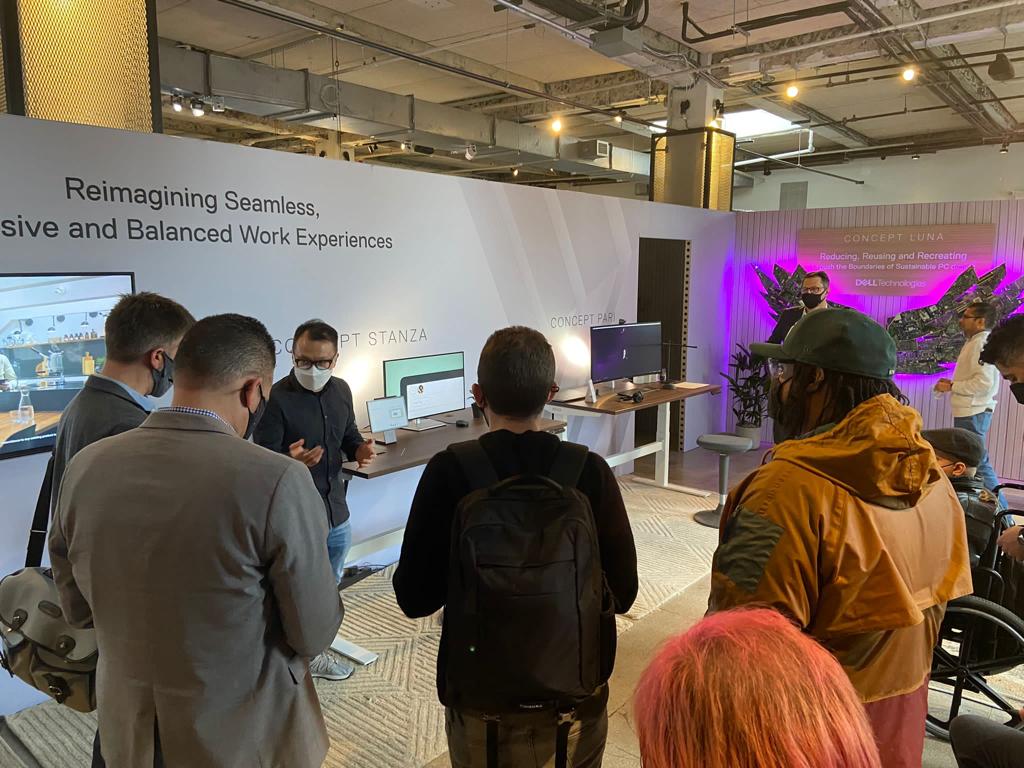
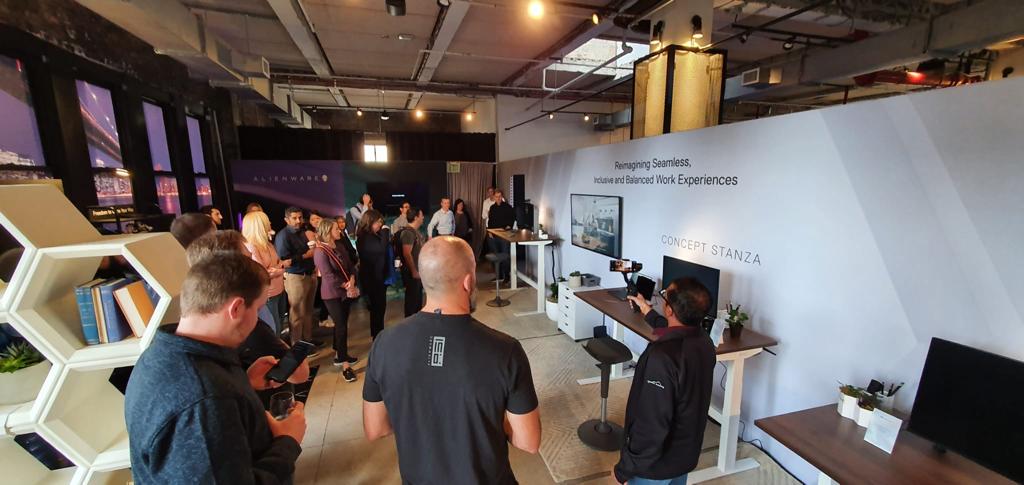
Debuted at CES 2023 as a concept within a “Future of Work” showcase
Led to several patent filings.
Handed off to another internal team for continued development.
Spawned a second study on ambient systems.
This project taught me how deeply users value focus and flow, and how intelligent systems must support, not disrupt, those states. By designing for pen-compatible input and building intelligence into the OS and app layers, we created a system that didn’t just digitise writing—it understood it.
It reinforced the importance of designing not just interfaces, but systems, behaviors, and tools for thinking.